
What is the Geek Dashboard?
The Geek Dashboard is the best place for us to communicate back and forth about leads that we generate for you, as well as keep track of which leads are billed each week. Here is what you'll find in it:
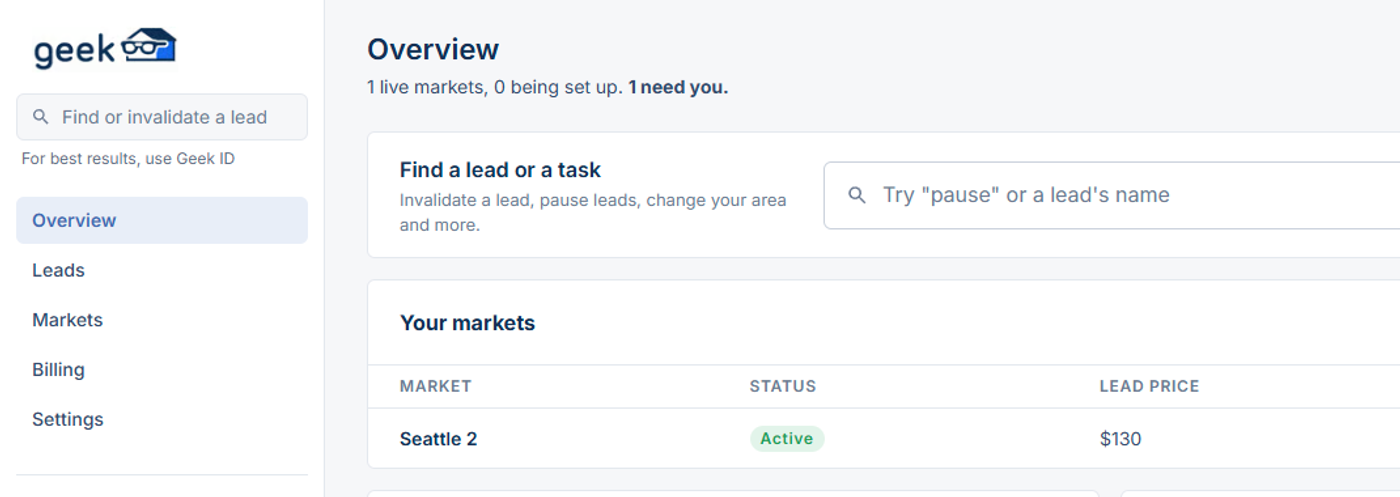
- Overview. Your markets at a glance. For you lists things only you can do. Waiting on Geek lists what we're working on for you.
- Leads. Every lead we've sent you, with their contact details and status. Filter by market, date or status, or download a CSV.
- Markets. Each market's lead price, budget cap, zip codes, pause and payment method. The Requests tab shows changes you've asked for.
- Billing. Your weekly invoices and the leads on them (more on this), your payment methods, and your prepaid and Enterprise credits.
- Settings. Who on your team gets emails, CRM integrations, and your login.
- Search. The Find or invalidate a lead box at the top left finds any lead. The Geek ID works best. From a lead's page, you can invalidate it (more on this) and track its status.
Please note that we only accept invalidations through the Geek Dashboard!
Please don't attempt to invalidate leads through email; we generate a LOT of leads and we don't want your requests getting lost (if they get lost you risk being billed for leads you shouldn't be. Email invalidation requests tend to get lost, which is why we built the dashboard originally).