
How to Setup & Add Money to an Enterprise Credits Fund
Want to use Enterprise credits to pay for Geek leads? This article shows you how to set it up yourself in the Geek Dashboard. (Read how paying with Enterprise credits works.)
Your Enterprise credits go into your prepaid balance. Your balance pays your invoices first. We only charge your card or bank for what is left.
How to add Enterprise credits
1. In the left menu, click Billing. Then click the Prepaid & Enterprise credits tab.
2. Click Add money.
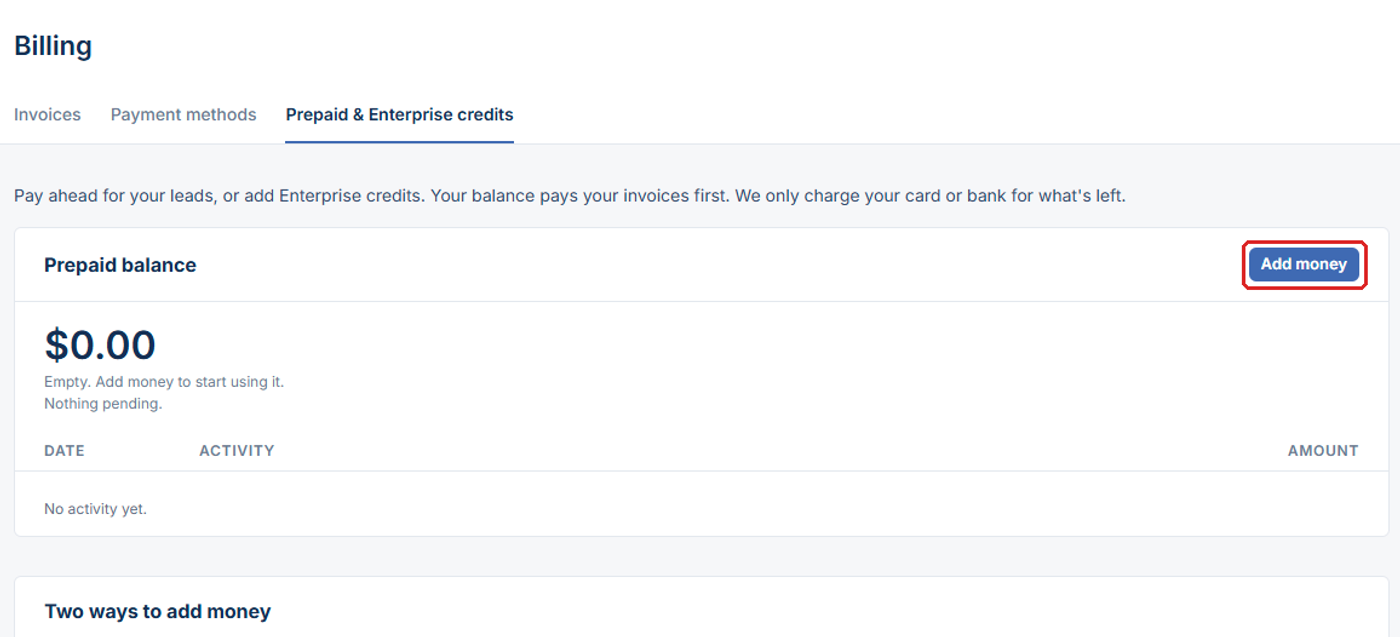
3. Pick Pay by invoice (Enterprise credits).
4. Enter the amount. The minimum is $500.
5. Click Create invoice.
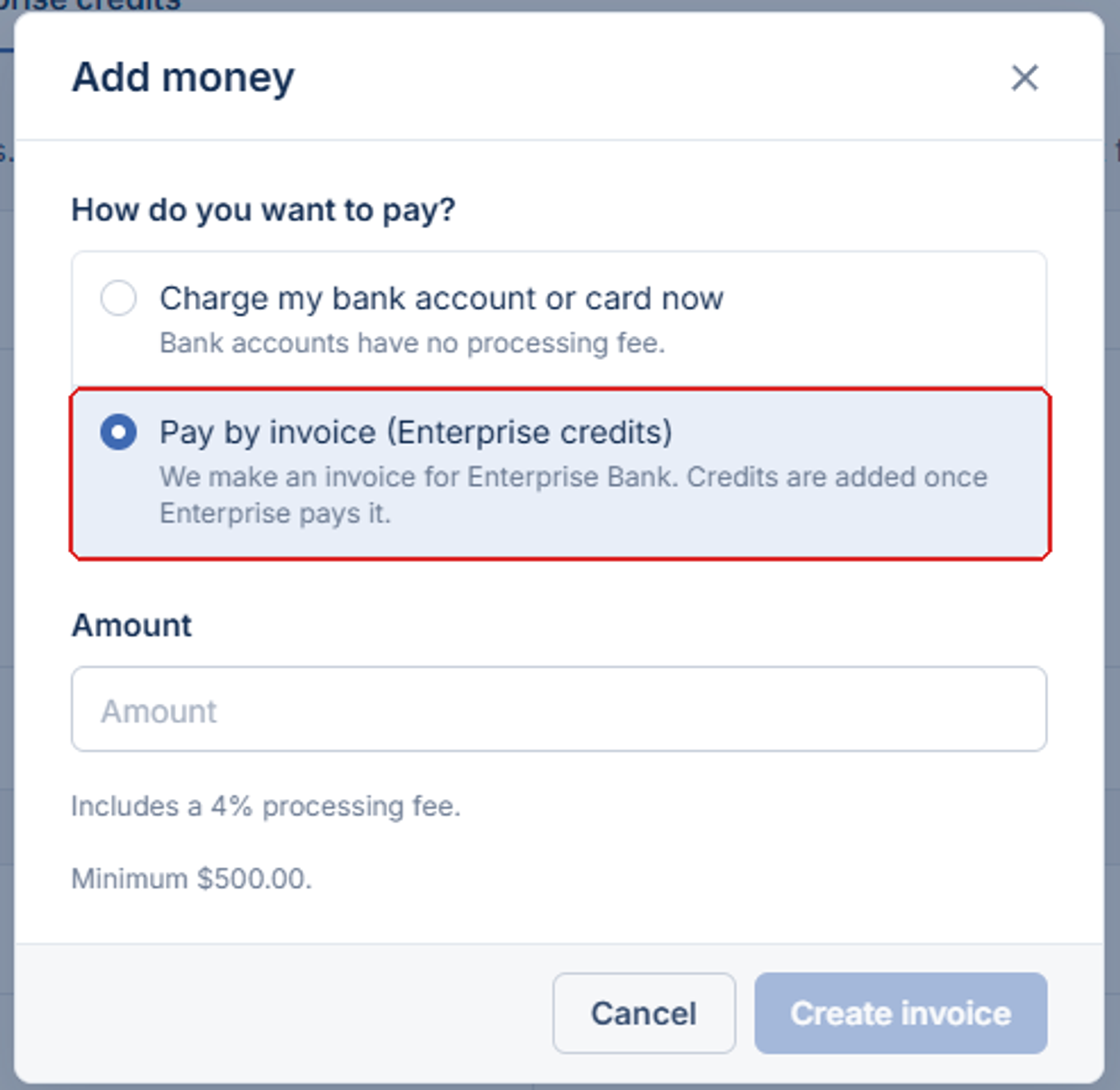
When this is completed, you'll be sent an email with a link to your invoice and the bank account information for Enterprise to transfer the money to. From the invoice you can click the "download invoice" option to get a PDF you can send to Enterprise (this PDF will also include the bank account information to transfer the money to).
Send the invoice to your Enterprise contact. The credits are added to your balance once Enterprise pays it.